Tender ZIP pack

How to prepare a tender ZIP pack in South Africa

A tender ZIP pack should make it obvious what is included, what is missing, what was reviewed and which official tender instructions still need attention before submission.

TenderKit prepares an internal pack review workflow. Your team remains responsible for checking the official tender instructions and submitting through the required channel.

ZIP workflow

Prepare the pack before the final rush

1

List every required item

Start from the tender document, then add recurring supplier documents such as CSD, SARS, CIPC and B-BBEE proof.

2

Separate missing, review and ready files

Do not wait for the ZIP export to discover missing or stale documents. Keep readiness visible as the team works.

3

Preview the final pack contents

Review uploaded originals, generated summaries, placeholders and blockers before anyone relies on the download.

Pack review

What to check before downloading or submitting

A tidy folder structure helps, but the important control is the review process before the folder or ZIP becomes the final pack.

File names and structure

  • Use the tender document's requested naming rules where provided.
  • Keep supplier profile files separate from tender-specific returnables.
  • Label placeholders so reviewers do not mistake them for submitted files.

Document status

  • Mark every item as missing, needs review or ready.
  • Keep validity dates visible for certificates, affidavits and compliance proof.
  • Record notes when a requirement is intentionally not applicable.

Owner follow-ups

  • Assign a person to every unresolved item.
  • Use internal due dates before the external closing date.
  • Escalate blocked items before the final pack review starts.

Submission channel

  • Confirm whether the tender requires a portal upload, email, physical delivery or another format.
  • Check size limits and accepted file types before the final deadline.
  • Keep proof of final submission outside TenderKit if required by your process.
TenderKit product

Preview before relying on the ZIP

TenderKit shows readiness, blockers, uploaded originals and generated pack contents before the final file is downloaded.
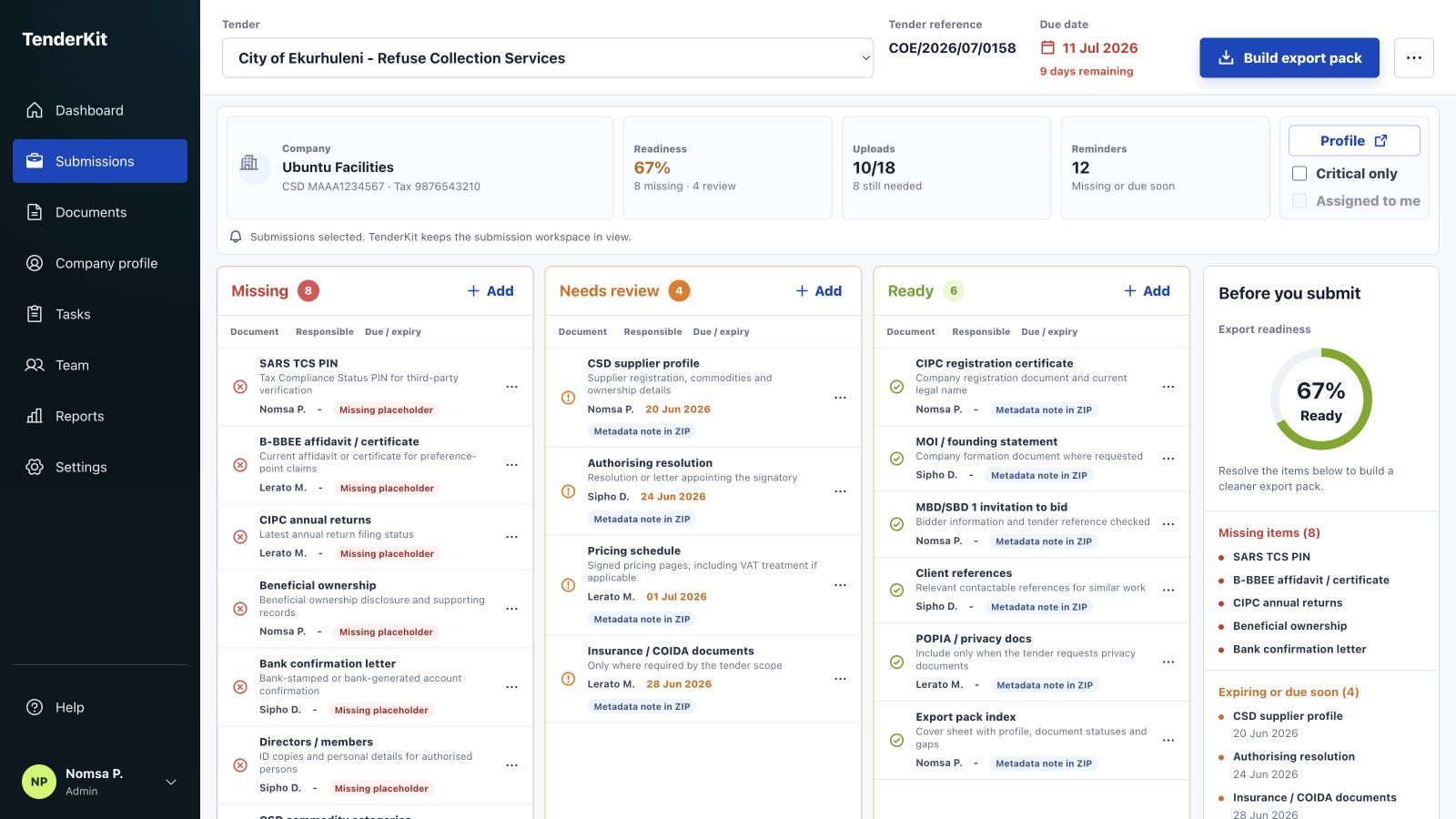
TenderKit dashboard showing export readiness for a tender ZIP pack
Use TenderKit to spot missing items before the pack becomes the final deliverable.
Next step

Prepare the ZIP pack inside TenderKit

Start a workspace for the tender your team is preparing and review the pack contents before final submission.